
Your first sign-in
Tell us how you'll use QuickTouch: Medical device representative or Healthcare professional.
Enter your first and last name. Country and phone are optional.
Agree to the Terms of Service and Privacy Policy, and click Enter QuickTouch.
That's all you need to start. Everything else can wait.
Finish your professional profile
Until your profile is complete, a card in the corner reminds you what's missing. Click its button to add the next item. You can minimize the card, and it disappears once your profile is complete.
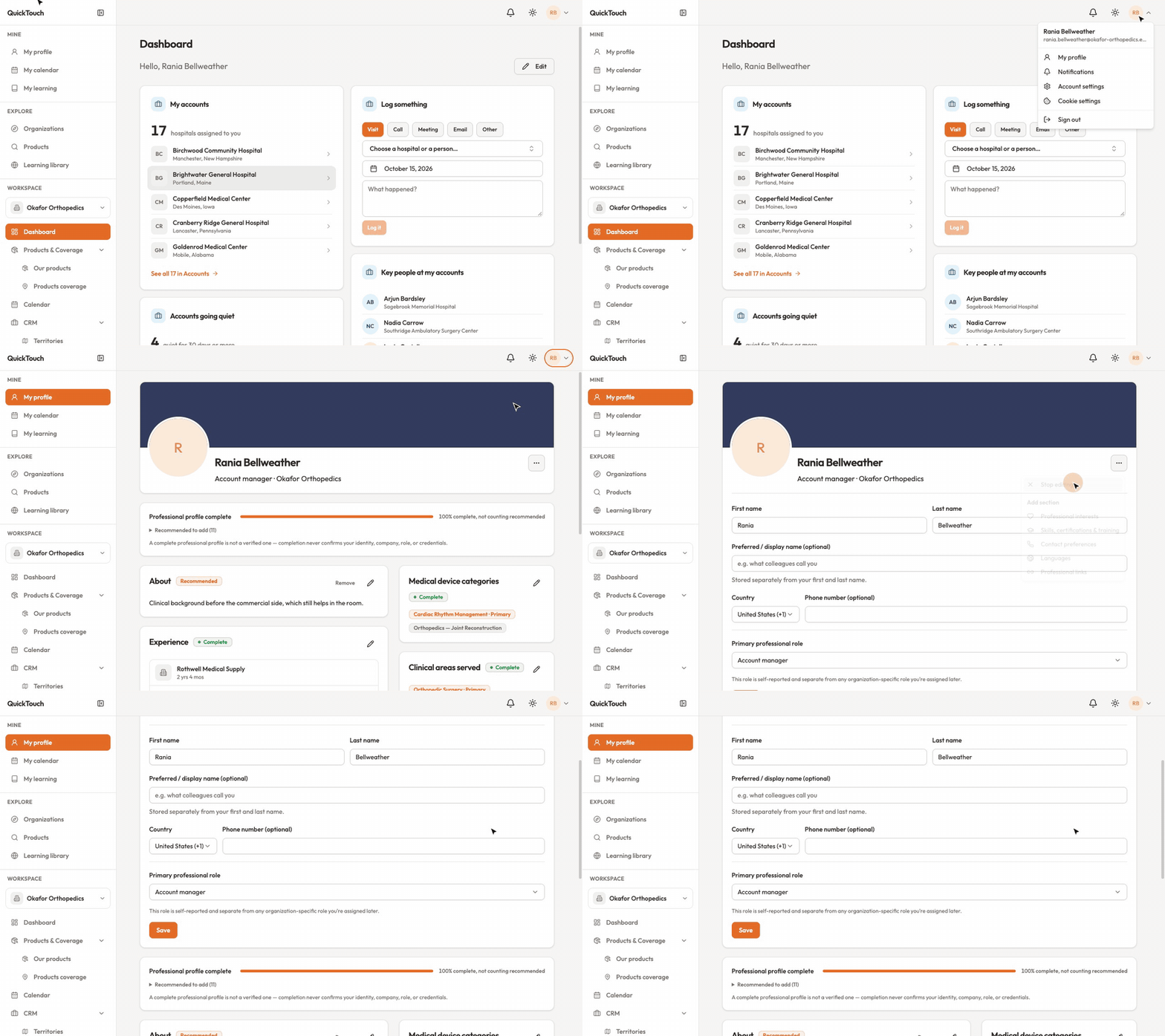
Click your initials in the top right, then My profile.
Open the ⋯ menu and choose Edit profile to change your name, display name, country, phone or professional role. Click Save.
Use Add section in the same menu to add Professional interests, Skills, certifications & training, Contact preferences, Languages or Professional links.
Every profile has Experience and Medical device categories. Healthcare professionals also have NPI, Specialties, Credentials and Clinical areas served. A complete profile is not a verified one — completing it never confirms your identity, company or credentials.