
The audit trail records what changed in your workspace — who was let in or removed, who got which role, what changed in your settings — with who did it and when. Open it from Workspace Settings › Audit trail.
Who can see it: Workspace Administrators, and anyone they give access to. Others see a message saying the audit trail isn't open to them.
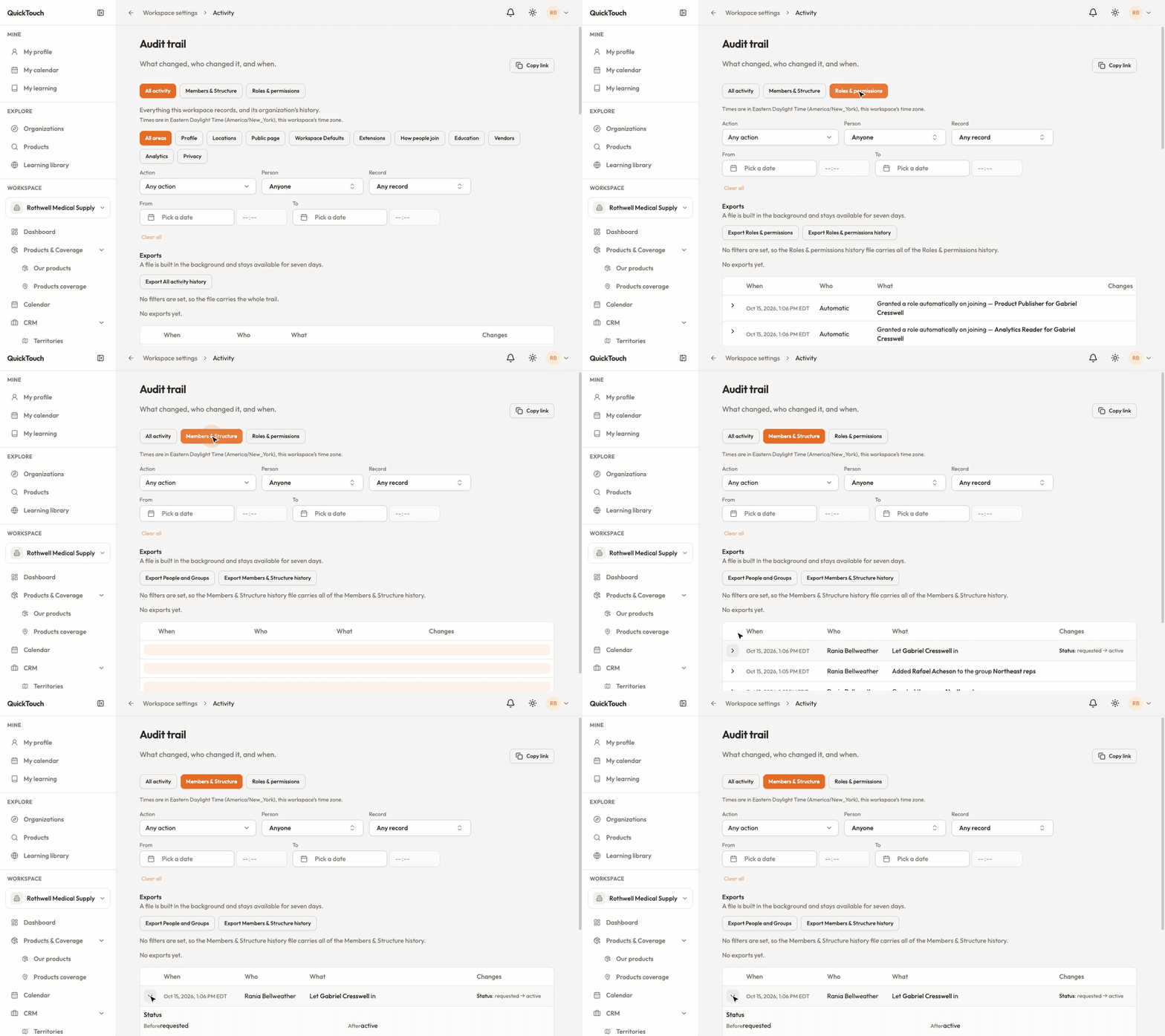
Each row shows when, who, what, and the changes. Open a row to see exactly what it was before and after. Times are shown in your workspace's time zone.
Narrow it down
Views: All activity, Members & Structure, or Roles & permissions.
Area: for example Profile, How people join, Privacy.
Action, Person and Record: show only one kind of change, one person, or one record.
From and To: pick a date range. Clear all resets the filters.
Export
Use the Export buttons to download the history you're looking at as a file. It's built in the background and stays available for seven days. Copy link shares the exact view with a colleague.