
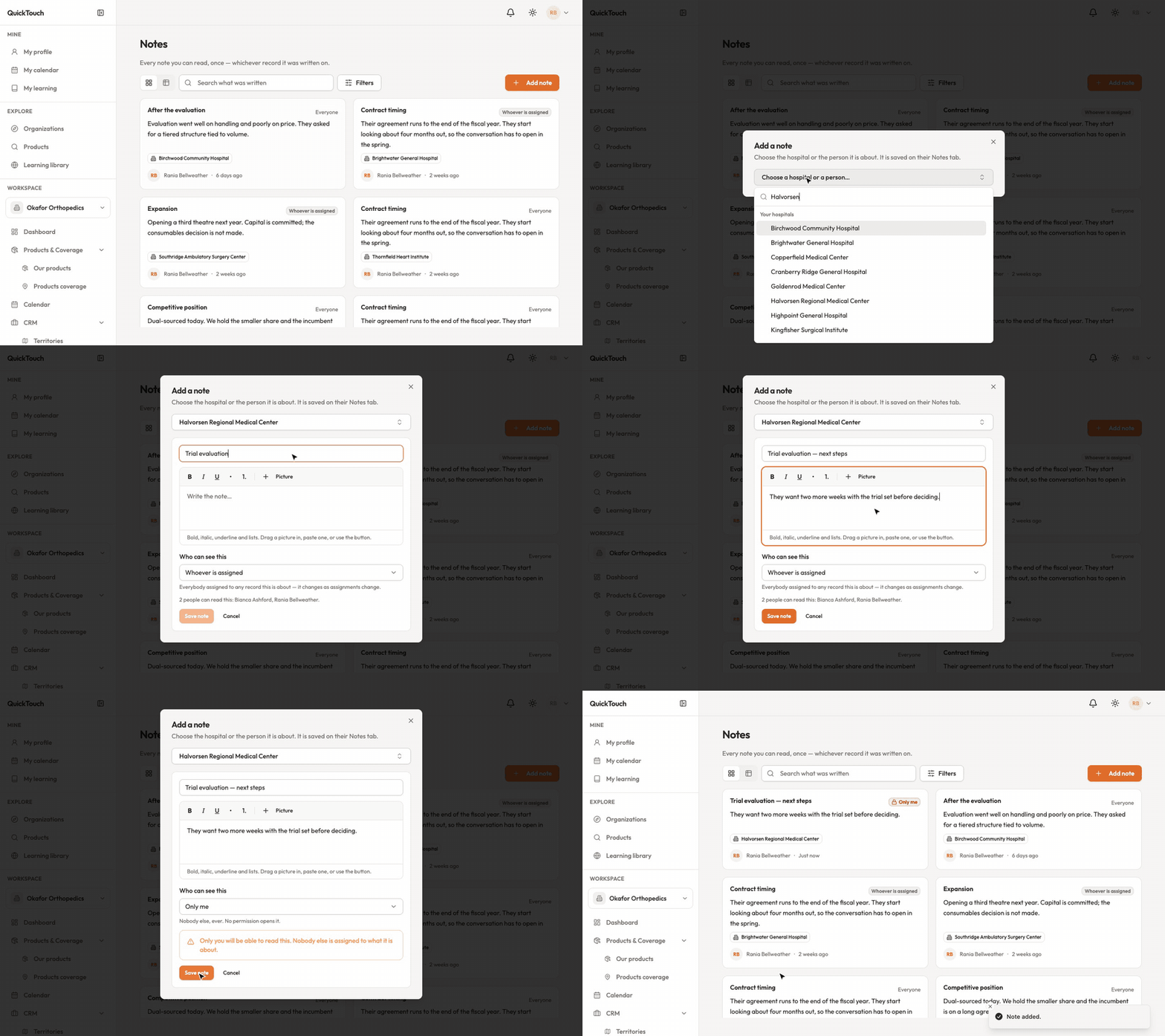
Write a note
Go to CRM › Notes, or open the Notes tab on any account or contact.
Click Add note and choose the hospital or person it's about. The note is saved on their Notes tab.
Give it a name and write the note. You can use bold, lists, and drag in a picture.
Choose who can see it, then click Save note.
Who can see this
Before you save, QuickTouch tells you exactly who will be able to read it.
Whoever is assigned (the default) — the people assigned to the hospital or person. If assignments change, so does who sees it.
Everyone in the workspace.
A Group I belong to.
Only me — nobody else, ever. Not even an administrator can open it.
Each note on the Notes page shows who can see it. You can change that later — QuickTouch asks you to confirm first. Notes you no longer need can be archived and restored.