
Assigning people to an account or contact shows who works it. Any number of people can be assigned to one record. A record with nobody on it says "Nobody is assigned" — nobody is working it until someone picks it up.
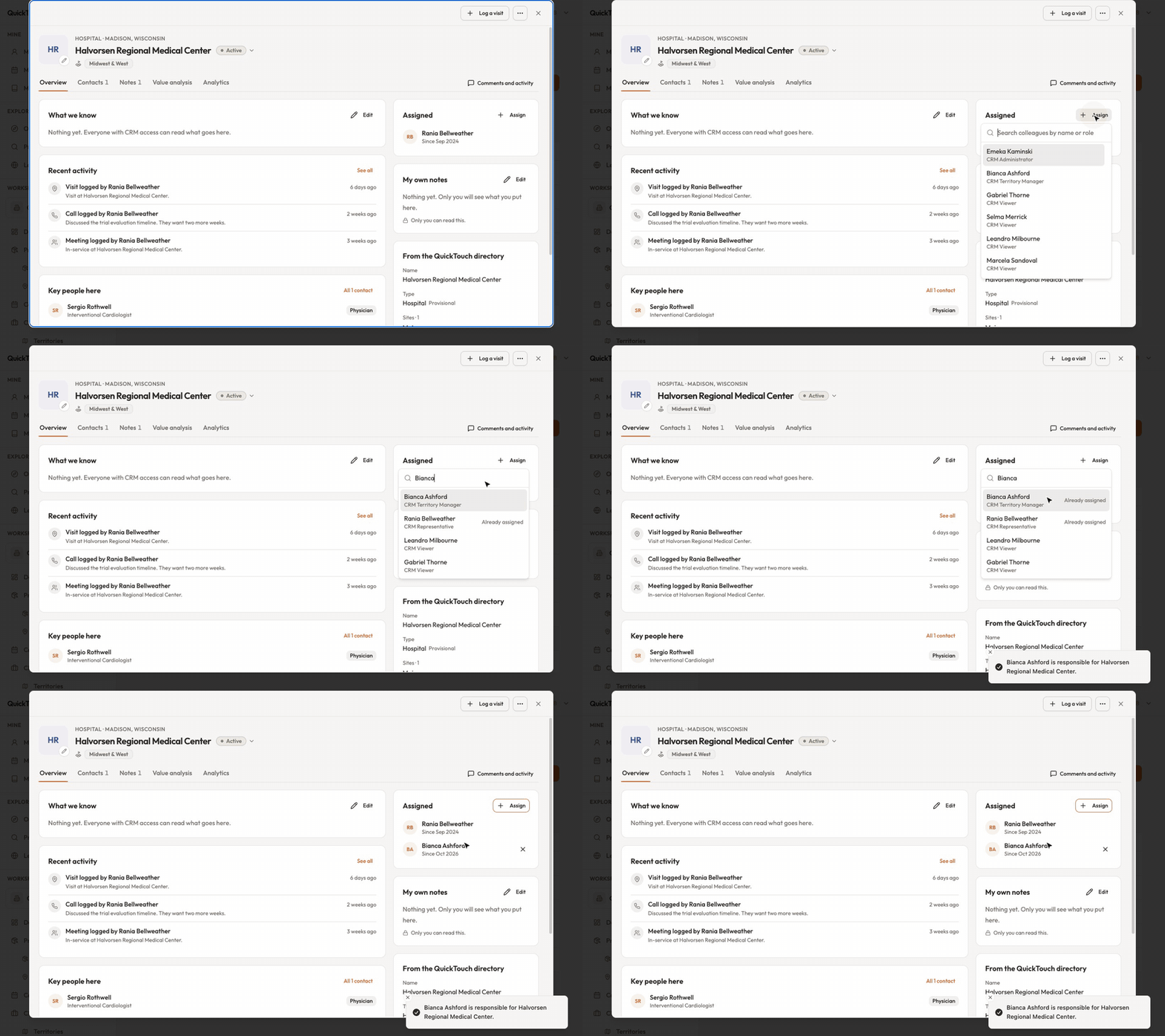
Assign someone
Open the account or contact and find the Assigned card on its Overview.
Click Assign, type a colleague's name and pick them. Each colleague shows their CRM role, and anyone already on the record is marked.
To take someone off, click the × next to their name. Anyone can take themselves off.
Why can't I assign myself?
Your CRM administrator chooses how representatives pick up work, in CRM settings:
Open — a representative may take any account or contact.
Territory-guided — only records inside their own territories.
Managed — somebody with the authority allocates work, so ask your manager.
To move many records at once, tick them in the Accounts or Contacts list and click Reassign.