
You can invite anyone by email address. They don't need a QuickTouch account yet — the invitation goes to the address, and they join when they accept it.
Who can do this: Workspace Administrators, and anyone whose role lets them manage members.
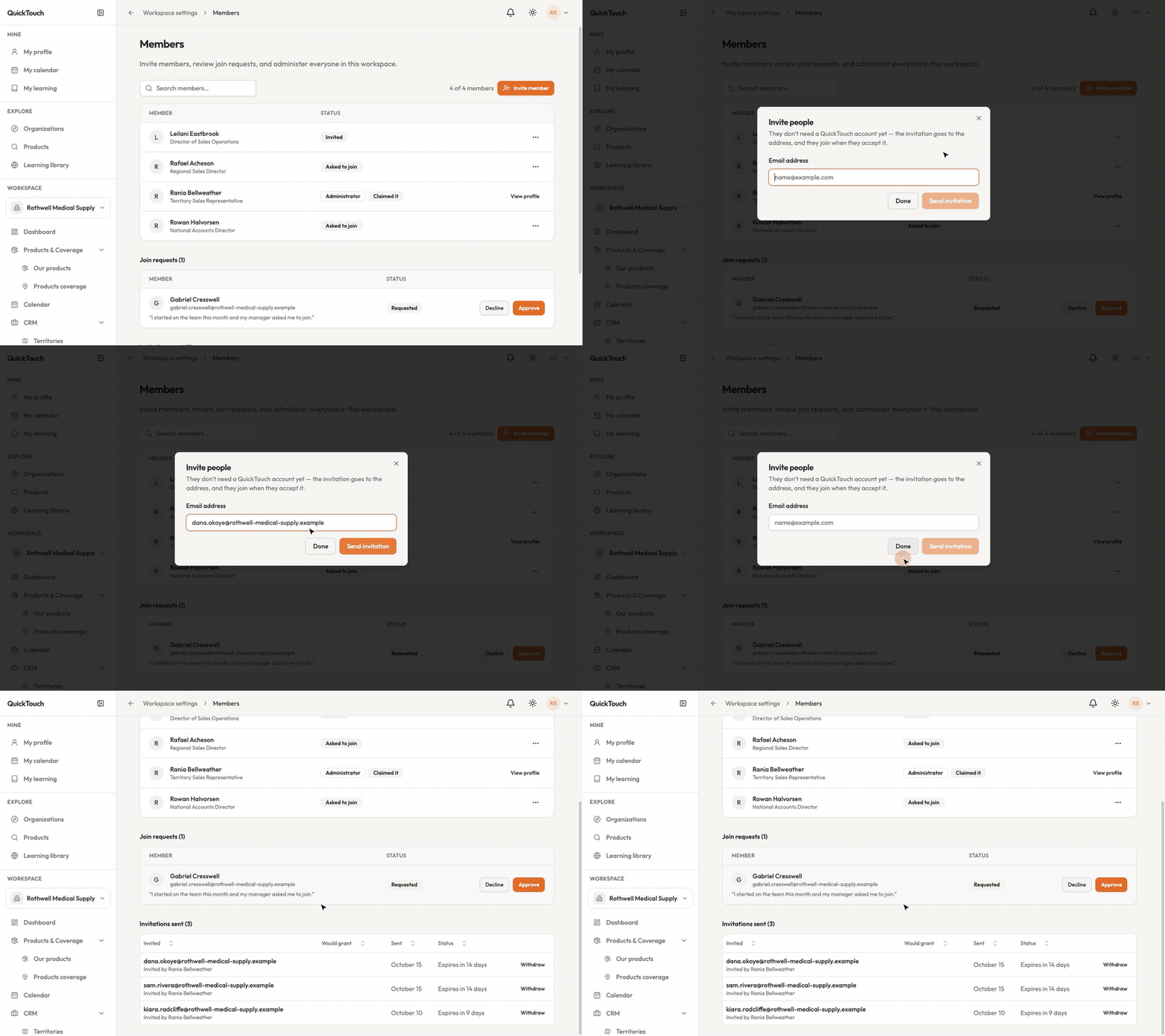
Send an invitation
In the sidebar, open Workspace Settings, then Members.
Click Invite member.
Type their email address and click Send invitation. You can send more than one before clicking Done.
Follow your invitations
Further down the Members page, Invitations sent lists each invitation with who sent it, when, and how long it has left. An invitation is open for 14 days.
Withdraw makes an invitation's link stop working. Nobody already in the workspace is affected.
If an invitation runs out before they accept, send them a new one.
What the person you invited sees
They see "You've been invited", with the role they'll join as and the date the invitation is open until. They choose Accept or Decline. Accepting lets them straight in — nobody has to approve it again.